Stage monitors are the speakers sitting at a musician’s feet on stage, fed by a separate monitor mix from the sound console. They let each performer hear their own instrument, their bandmates and their cues without depending on what the front-of-house PA is throwing into the room. That one function is why stage monitors help bands play live, because it decides whether you are playing to what you hear or guessing.
The confusing part for a new band is that a monitor and a monitor mix are two different things. The monitor is the box. The mix is what an engineer builds inside it. When a band tells the engineer to turn up a wedge and hears nothing useful, the problem is almost never the speaker; it is that six instruments are fighting in the same 200 words of mix.
Table of Contents
- What Are Stage Monitors and How Do They Help Bands Play Live?
- Why Bands Need Stage Monitors During Performances
- What Should a Band Hear in Its Stage Monitor Mix?
- How Many Stage Monitors and Monitor Mixes Does a Band Need?
- How Do Floor Wedges and In-Ear Monitors Differ?
- How Can Bands Set Up and Check Their Monitor Mix?
- How Do Bands Prevent Feedback and Monitor Problems?
- How Stage Monitors Help Bands Play Live
- Frequently Asked Questions
- What is the purpose of stage monitors?
- What is a stage monitor wedge?
- How many stage monitors do you need for a 4 piece band?
- What are the disadvantages of using stage monitors?
- How many watts should a stage monitor be?
- When should a band switch to in-ear monitors?
- Conclusion: Start With the Musician’s Most Important Cues
What Are Stage Monitors and How Do They Help Bands Play Live?
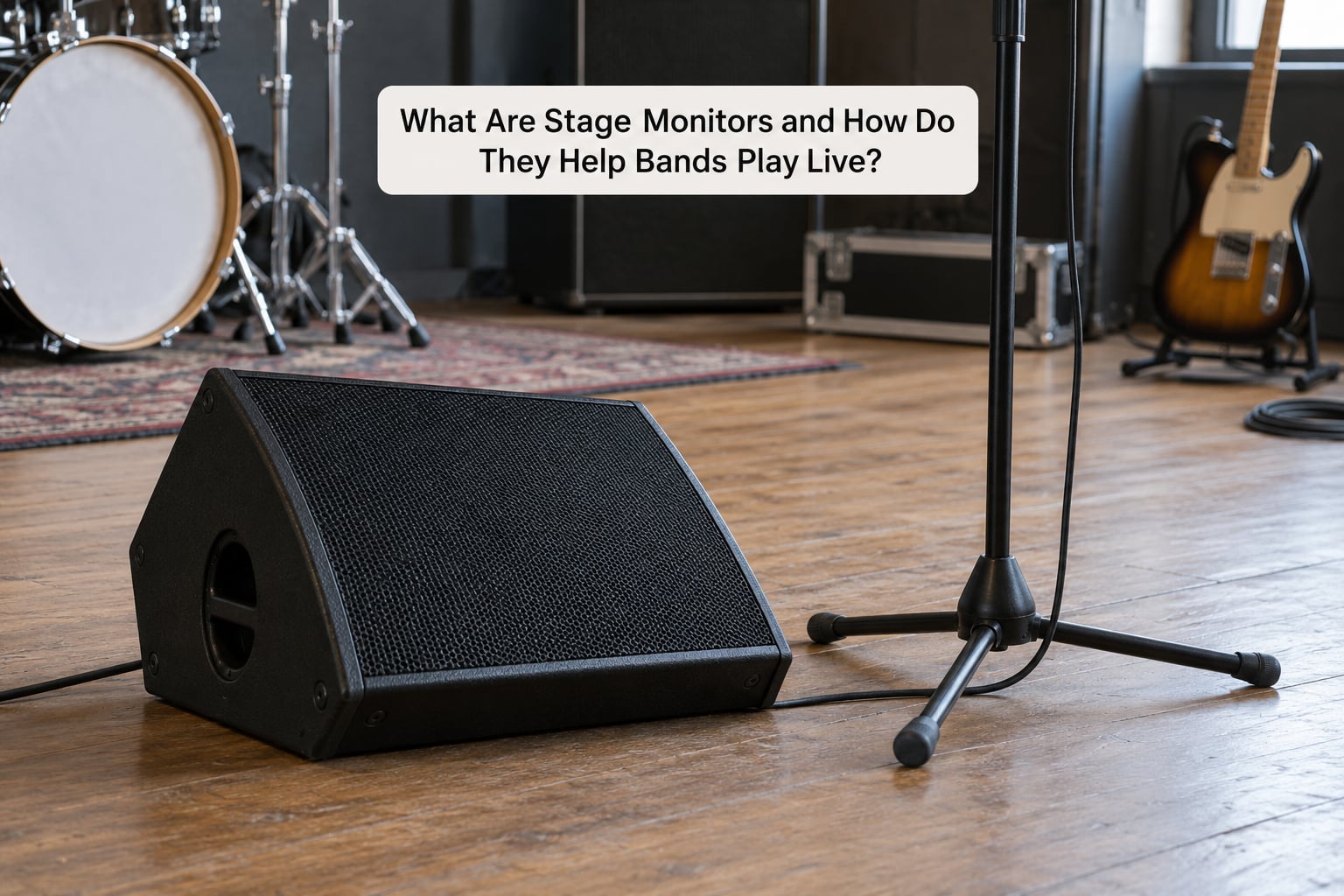
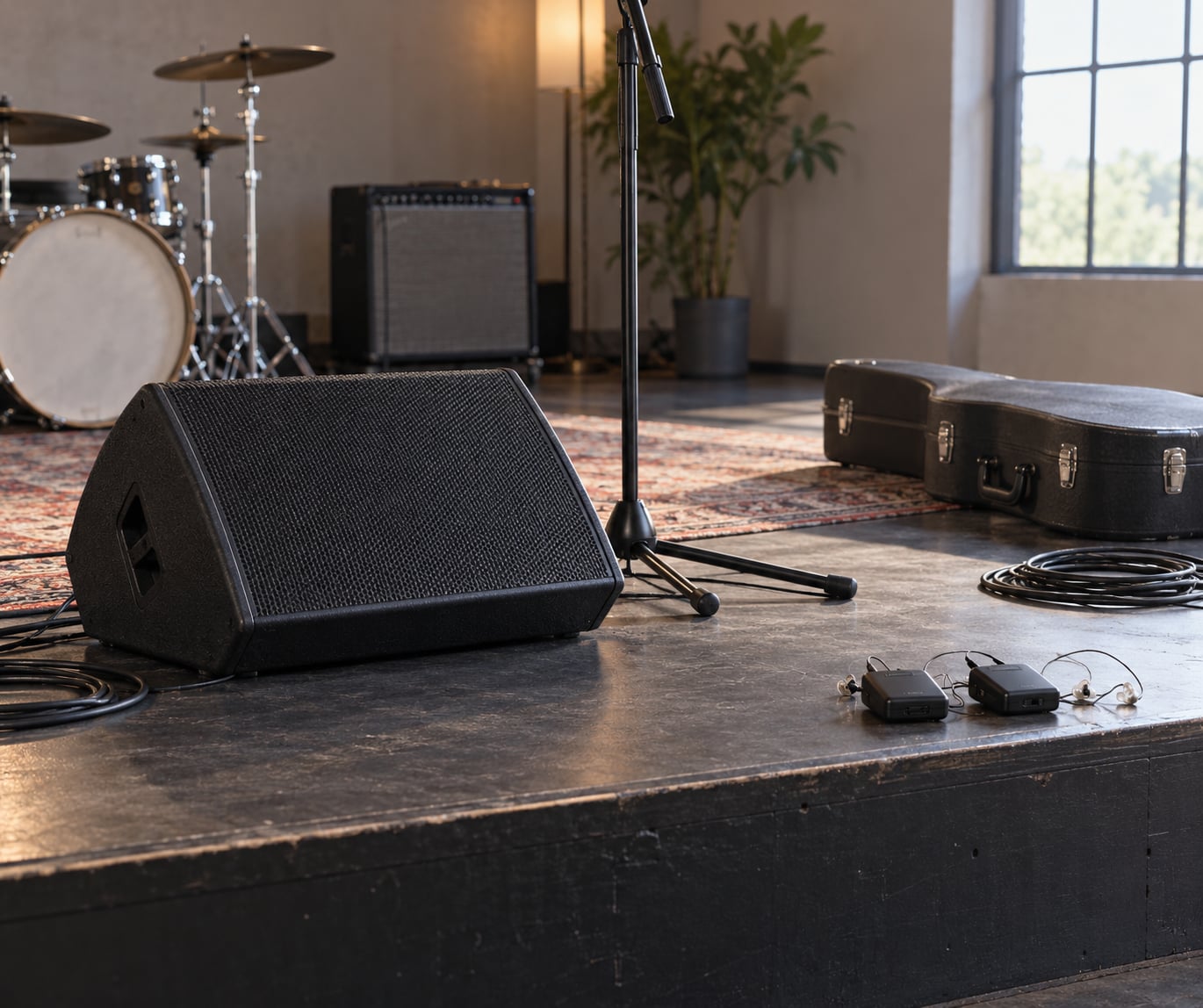
A stage monitor wedge is a wedge-shaped, angled loudspeaker that sits on the stage floor pointing up at the performer. It receives its own signal from an aux send on the mixing console, so what a musician hears is a mix made for them rather than the audience mix coming from the main PA.
Three terms get tangled together constantly, so it is worth separating them once:
- Stage monitor is the physical speaker on the stage floor.
- Monitor mix is the custom blend the engineer feeds to that speaker, usually with its own fader on the desk.
- Front of house (FOH) is the main PA mix the audience hears, controlled from the back of the room.
Because the monitor mix is separate, the engineer can raise a singer’s vocal in their own wedge while pulling the same vocal down in FOH. Nothing about what the audience hears has to change for the singer to be comfortable. That separation is the whole reason monitoring exists as its own discipline rather than just turning the PA up louder.
There is one more layer: an in-ear monitor, or IEM, is a tiny speaker system worn in the ear, driven by a wireless bodypack. It is fed from the same monitor mix, just delivered to one pair of ears instead of to the floor.
Why Bands Need Stage Monitors During Performances
On a small stage, the instruments physically on stage produce more sound than the PA does. A drummer, a bass amp and two guitar cabs can easily out-shout the front mix, which means a musician relying on the PA alone is hearing a smeared, unbalanced version of the band rather than their own part.
Here is what a working monitor mix actually fixes:
- Your own part. You hear the instrument you are responsible for, at the level you actually play it, not at whatever level the FOH engineer guesses.
- Timing. Drummers report hearing their wedge as mostly bass and low end, then needing kick and snare to place themselves in time. Without those two in the mix, the band drags.
- Tuning. If you cannot hear your own tuning, you tune to the guitar next to you, which may be a quarter step off.
- Cues. Count-ins, tempo changes, the second guitar switch to distortion, the end of the song. Cues are audio for most players.
- Vocal stamina. A singer pushing to hear themselves over a loud band strains and loses pitch. Properly monitored, they sing at talking volume and hold pitch for a full set.
- Confidence. A player who cannot hear themselves plays tentatively, watches the bandleader instead of their own part, and nobody in the band trusts their own timing.
The failure mode is worth spelling out. If a wedge is on but the mix inside it is cluttered, the player hears a wall of sound, cannot pick out their own instrument, and quietly plays softer or later than intended. Then the front-of-house mix has to chase, and the whole performance feels loose.
There is a hearing side to this too. Musicians who cannot hear themselves push stage volume up to compensate, and everyone on stage absorbs that. Monitoring is how a band controls its own noise rather than just surviving it.
What Should a Band Hear in Its Stage Monitor Mix?
Build monitor mixes by subtraction. Start with a full band picture, then remove everything that is not helping that specific player, and only then turn things up. Guitarists playing through passive wedges with no EQ of their own often describe hearing mostly bass and low-frequency bleed rather than their own tone, which is exactly what happens when a mix is left cluttered.
| Role | Usually wants to hear first | Common complaint if it is missing |
|---|---|---|
| Drummer | Kick and snare, click track if used, bass guitar | Plays behind or ahead of the band, loses tempo on fast sections |
| Bassist | Kick drum, lead vocal, their own fret noise | Cues and changes arrive late, drifts out of time |
| Guitarist | Rhythm guitar, drums, backing vocal lines | Cannot hear a switch to distortion change |
| Keyboardist | Rhythm section and their own pad or synth line | Plays the wrong chord when the arrangement changes |
| Lead vocalist | Their own vocal, harmonies, click, cues | Pushes volume, sings sharp, misses harmonies |
| Second vocalist | Their own line plus the lead vocal for blends | Entrances land late, harmonies slip apart |
Two rules come out of this. Drums and bass rarely need to be sent to every wedge, since their spill covers most of the stage already, and duplicating them in every mix is what makes a monitor feed muddy. And a singer with harmonies needs their own vocal line back or the blend never lands.
How Many Stage Monitors and Monitor Mixes Does a Band Need?
For a four-piece band, the working answer is two monitor mixes minimum and four preferred. Two is the floor that lets a singer hear their vocal with the band behind it; four means every player gets a mix built around their own job rather than sharing one compromise.
| Band size | Monitor mixes | Wedges on stage |
|---|---|---|
| Duet | 2 | 2 |
| Trio | 2 to 3 | 2 to 3 |
| Four-piece | 2 minimum, 4 preferred | 3 to 4 |
| Five-piece | 4 | 4 |
| Six to eight piece | 5 or more | 5 or more, or in-ear systems |
Mixes and wedges are not the same number. Four wedges can run two mixes if the band is small and the players sit close, and one mix can be split to a pair of in-ear bodypacks. Count mixes by listening position first: two players who can hear the same wedge can share a mix, two players who cannot need their own.
Small rooms complicate this. Two wedges on a tiny stage can sit so close together that their overlap produces comb filtering, where the mix sounds thin and inconsistent depending on where a musician stands. Fewer, better-placed monitors beat more monitors crammed together.
How Do Floor Wedges and In-Ear Monitors Differ?
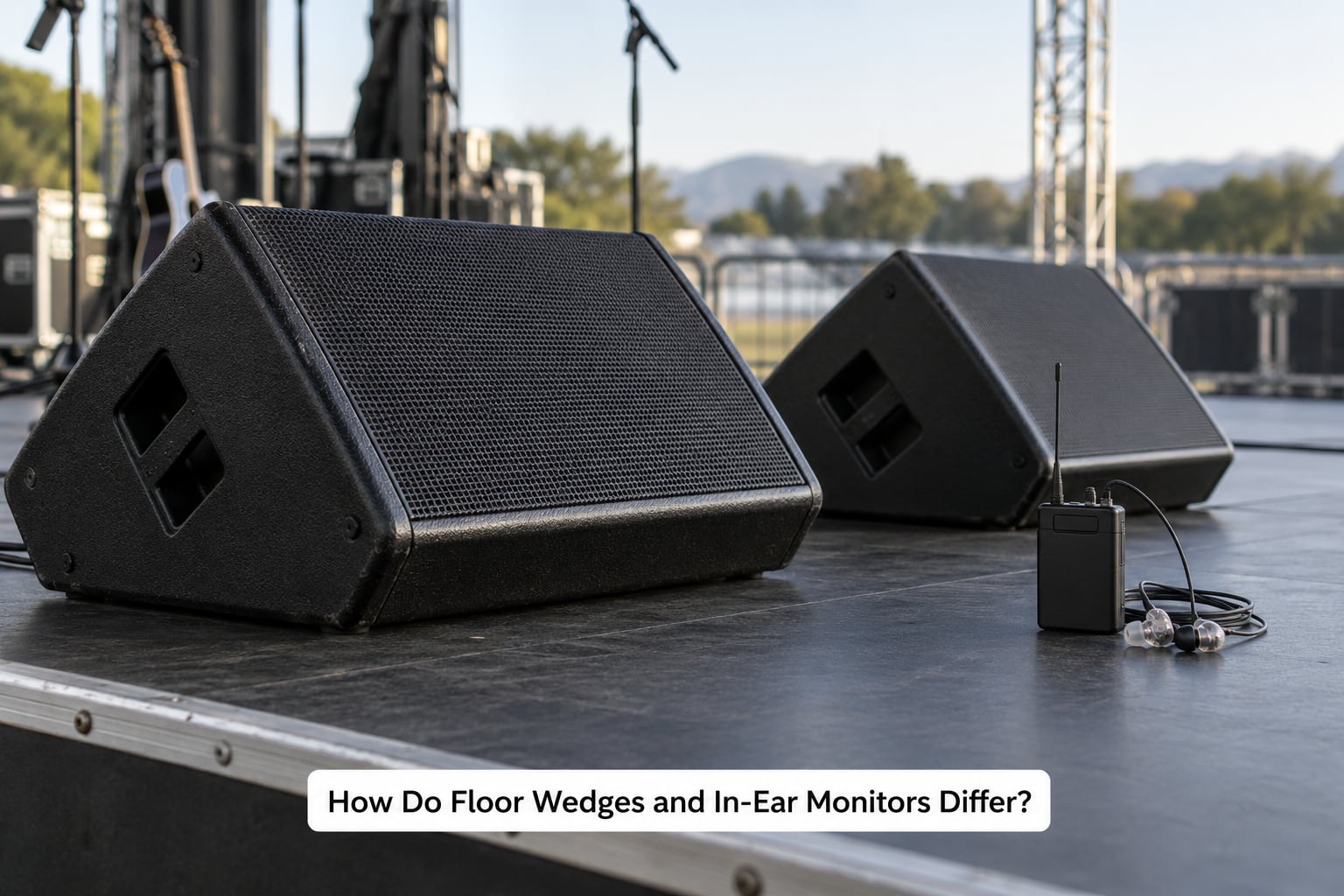
Both systems run off the same monitor mixes, so the choice is really about delivery. Floor wedges share one mix with everyone within earshot and keep the natural bleed of the stage. In-ear monitors deliver a private mix to one player and remove almost everything else.
| Floor wedges | In-ear monitors | |
|---|---|---|
| Who hears the mix | Everyone nearby | One musician only |
| Mix detail | Shared, moderate | Private and precise |
| Stage volume | Higher, since it fills the stage | Much lower |
| Feedback risk | Higher near vocal mics | Lowest of any monitoring |
| Hearing safety | Depends on level and length | Consistent, and can be filtered |
| Mobility | You stay near your wedge | Walk anywhere |
| Setup effort | Low, place and aim | Higher, need to pack and charge bodypacks |
| Band connection | Keeps the room audible | Can isolate a player from the band |
The honest downside of in-ear monitors is isolation. A perfectly mixed IEM can leave a guitarist playing technically tight and completely detached from a drummer who is rushing, which is why drummers on such setups get pushed hard to play to a click and subdivisions instead of to the band.
There is also a technique shift. A sealed in-ear changes how a voice sounds to the singer wearing it, and it removes the visual cue of seeing bandmates react. Bands moving around a stage, or playing outdoors where monitors are hard to place, tend to get more out of in-ears. Beginners and acoustic lineups usually do fine with wedges.
Plenty of players use both. One ear in and one ear open is a common compromise that keeps some of the room while keeping the mix.
How Can Bands Set Up and Check Their Monitor Mix?
Set monitors before the band arrives, not during the soundcheck. If the wedge position is decided in the first two minutes of the show, it will be wrong by the third song.
- Place each wedge near its player and pointed at them. Position matters more than level. A wedge aimed at the ceiling helps the drummer’s backline and nobody else.
- Keep wedges behind or beside vocal mics, never in front. A mic pointing at a wedge is the classic feedback path.
- Set a reference level, then match mixes to it. Start with one musician at a comfortable level and build the rest around that, rather than pushing every wedge until it feels loud.
- Test with the whole band playing. A monitor balanced against one guitar sounds completely different once drums and bass are in the room.
- Change from the stage, not from the desk. Walk to each player during the set and ask them to tap the wedge. Levels that drift through a set are normal.
Microphone polar pattern decides how much room a wedge will pick up, which matters for feedback and bleed:
| Mic pattern | Wedge placement | Reason |
|---|---|---|
| Cardioid vocal mic | Directly behind or to the side, out of the front lobe | Least sound comes from directly behind |
| Super-cardioid vocal mic | To the side of the mic | Side rejection is tighter behind, but the side lobe is narrow |
| Omnidirectional mic | As far away as practical | Picks up sound from every direction including the wedge |
On passive wedges with no EQ of their own, ask the engineer to carve a little low end out of the monitor send. Wedges sitting on a stage floor tend to pick up bass spill from the backline, and that low end is what smears a monitor mix on small stages.
Where a band has no engineer of its own, pick the mix you most need to survive without. For most rock and metal bands that is a vocal mic plus the band, on a single mix, and one wedge placed where the singer can reach it. Set it in soundcheck and check it between songs rather than assuming it stayed put.
How Do Bands Prevent Feedback and Monitor Problems?
Most monitor problems come from one of four places: gain, position, clutter or a system that was never checked. Here is the symptom-to-fix pairing that covers nearly every case.
| Symptom | Likely cause | Fix |
|---|---|---|
| Squeal that starts when the singer turns up | Wedge in the microphone’s front lobe | Move the wedge behind or beside the mic, then lower it |
| Cannot hear my monitor at all | Wrong aux send, or the mix is set to someone else | Confirm which fader feeds the wedge, play a solo source, raise the monitor send |
| Monitor sounds thin and different around the stage | Two wedges overlapping, comb filtering | Turn or lower one wedge, or merge two players onto a single mix |
| Stage is far too loud overall | Players pushing level instead of removing clutter | Remove sources from mixes, lower the wedges, let spill do more work |
| Player still cannot hear their instrument | Their source was cut to thin the mix | Put their own channel back first, cut something else instead |
| Mix is right at soundcheck, wrong by the fifth song | Room fills, levels drift, nobody checks | Set up a quick check between songs and keep one person responsible |
| Band plays disconnected from the room | Over-isolated in-ear mixes | Blend more of the band into the mix, add a room mic if needed |
Two habits prevent most of this before it starts. Ask players to name their top three cues rather than asking for more volume, and re-check monitors after the second song when the room has settled. Monitor work is a continuous adjustment during a set rather than a static mix set once and forgotten.
How Stage Monitors Help Bands Play Live
Pulled together, stage monitors help bands play live in a fairly simple way: they put each musician’s essential cues where that musician can reach them, and they keep the stage from becoming a place where players guess.
That shows up in the playing. Timing tightens when a drummer can hear the kick and snare. Tuning holds when a guitarist can hear their own strings. Cues land on time when they are audible. Vocalists last a whole set because they are not shouting over a band they cannot hear.
It also keeps the band together instead of isolated in separate worlds. A shared monitor picture, even a rough one, gives players a common sense of tempo and pitch, which is what stops a five-piece from drifting into five separate performances. The flip side is worth remembering: monitoring only works when the mixes are rehearsed and checked from the stage, and a mix that nobody tested will fail eventually.
Frequently Asked Questions
What is the purpose of stage monitors?
Stage monitors let performers hear their own instrument and their bandmates without relying on the front-of-house PA. They are fed a separate monitor mix from the console, so an engineer can raise one player’s part for that player alone without changing what the audience hears. That is what lets bands keep timing, tune up, catch cues and sing at a comfortable level.
What is a stage monitor wedge?
A stage monitor wedge is an angled, wedge-shaped floor speaker that sits on stage pointing up at the performer. It receives its own signal from an aux send on the mixing console rather than from the main PA. The angled shape is what lets a floor-level box throw sound up into a musician’s ears from a few feet away.
How many stage monitors do you need for a 4 piece band?
For a four-piece band, two monitor mixes are the workable minimum and four is preferred. Two lets the singer hear their vocal with the band behind it; four gives every player a mix built around their own job. Wedges and mixes are not the same count, since close-positioned players can share a mix. On a small stage, fewer well-placed wedges beat more crowded ones.
What are the disadvantages of using stage monitors?
The main drawbacks are shared sound, higher stage volume and more feedback risk. Everyone near a wedge hears the same mix, so it cannot be tuned for one player alone. Wedges add to stage noise, which pushes the whole band to play harder, and they sit close enough to vocal mics to cause feedback. On small stages, overlapping wedges can also cause comb filtering.
How many watts should a stage monitor be?
Power matters far less than placement, and there is no universal figure. A wedge sitting four feet from a singer with a cardioid mic needs very little to be useful, while a passive wedge with no EQ cannot be tamed no matter how many watts it has. Ask for enough level to hear the mix comfortably at your playing position, and solve problems by moving the wedge before adding power.
When should a band switch to in-ear monitors?
In-ear monitors make the most sense once stage volume becomes a problem, once the band moves around a lot, or once each player needs a mix too detailed to share. They lower stage noise and cut feedback almost completely. The trade-off is isolation and setup effort, so bands that rely heavily on hearing the room often keep wedges or mix partially open ears.
Conclusion: Start With the Musician’s Most Important Cues
Ask every member of the band to name the three things they must hear to play correctly, then build the monitor mixes from that list and cut everything else. Set the wedges before soundcheck, test the whole band playing at once, and check again between songs once the room settles.
If a mix is not working, fix the position before the level, and remove a source before you add one. That is how stage monitors help bands play live: not by being louder, but by putting the right cue in the right pair of ears at the right time.